Showing posts with label KPI. Show all posts

Tuesday, September 11, 2012

Create KPI List from Excel Worksheet

KPI Lists are created to indicate the Goal Vs Actual status of critical Business parameters, multiple KPI's can be added to a single KPI List so that the status of all the critical parameters are captured in a single list.

In this post we shall see on how to create a KPI List based on the data in a Published Excel Sheet


First Create an Excel Workbook with the data which you want to represent in the KPI, I have created the following sheet.


Publish KPI List to Dashboards using KPI List Web Part

KPI Lists are used to display business critical parameters, with their goals and the current status, We can use the KPI List Web Part to display KPI Lists in Dashboards. KPI List Web Parts can also be configured to display multiple KPI Lists in the same Web part.
In this post we shall see on how to display a KPI List in a dashboard using a KPI List Web Part.

Create KPI List from SharePoint List

KPI Lists are created to indicate the Goal Vs Actual status of critical Business parameters, multiple KPI's can be added to a single KPI List so that the status of all the critical parameters are captured in a single list.

In this post we shall see on how to create a KPI List based on the data in a SharePoint List.

Type of Key Performance Indicators (KPI’s) in SharePoint


Key Performance Indicators (KPI’s) in SharePoint vary based on the datasource based on which they are created. SharePoint 2007 allows creating of KPI’s from the following data sources.

SharePoint Lists
The built in SharePoint Lists can be used as a data source to create KPI’s, these KPI’s read data from the SharePoint Lists and display the status in the KPI’s. When the data in the List gets updated the KPI’s display also gets updated automatically.

This type of KPI’s can be built for simple reports like Target vs. Actual sales.

Key Performance Indicators Overview

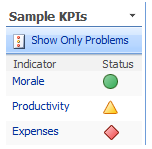
Key Performance Indicators (KPI) is a feature of SharePoint 2007 used to set and track goals. For example, KPI can be used to track sales targets, task completion status etc. KPI’s provide a visual representation of the current status of the variable under study.

The default KPI which comes with the default site of SharePoint 2007 looks as follows.